Architecture 15 - Galaxy Production Deployment
Contributors

 John Chilton
Questions
How is Galaxy deployed in production?
What is the difference between development and production setups?
How does usegalaxy.org work?
Objectives
Understand production deployment architecture
Learn about PostgreSQL, nginx, and uWSGI
Understand multi-process and multi-host setups
Learn about usegalaxy.org infrastructure
layout: introduction_slides topic_name: Galaxy Architecture
Architecture 15 - Galaxy Production Deployment
The architecture of Galaxy’s production deployment.
layout: true left-aligned class: left, middle — layout: true class: center, middle
class: centered
.pull-left[
Default
SQLite
gunicorn all-in-one
Single process
Single host
Local jobs
]
.pull-right[
Production
PostgreSQL
gunicorn for web process + webless workers + nginx proxy
Multiple processes
Multiple hosts
Jobs across many clusters
https://usegalaxy.org/production ]
PostgreSQL
- Database server can scale way beyond default sqlite
- Supports concurrent connections from multiple Galaxy processes
- Better performance for production workloads
- https://www.postgresql.org/
- Configuration:
github.com/galaxyproject/usegalaxy-playbook→roles/galaxyprojectdotorg.postgresql
nginx (or Apache)
- Optimized servers for serving static content
- Reverse proxy to Galaxy application servers
- Load balancing across multiple Galaxy processes
- https://www.nginx.com/resources/wiki/
- https://docs.galaxyproject.org/en/master/admin/nginx.html#proxying-galaxy-with-nginx
- Configuration:
github.com/galaxyproject/usegalaxy-playbook->templates/nginx/usegalaxy.j2
Webless
- Galaxy typically runs in Gunicorn - a production-grade ASGI server
- This is a great tool for both development and production but in production typically job running and workflow scheduling should happen outside a webserver
- https://docs.galaxyproject.org/en/master/admin/scaling.html#gunicorn-for-web-serving-and-webless-galaxy-applications-as-job-handlers
- Galaxy Installation with Ansible
Multi-processes
Threads in Python are limited by the GIL.
Running multiple processes of Galaxy and separate processes for web handling and job processing works around this.
This used to be an important detail - but gravity + gunicorn make things a lot easier.
class: center
Cluster Support
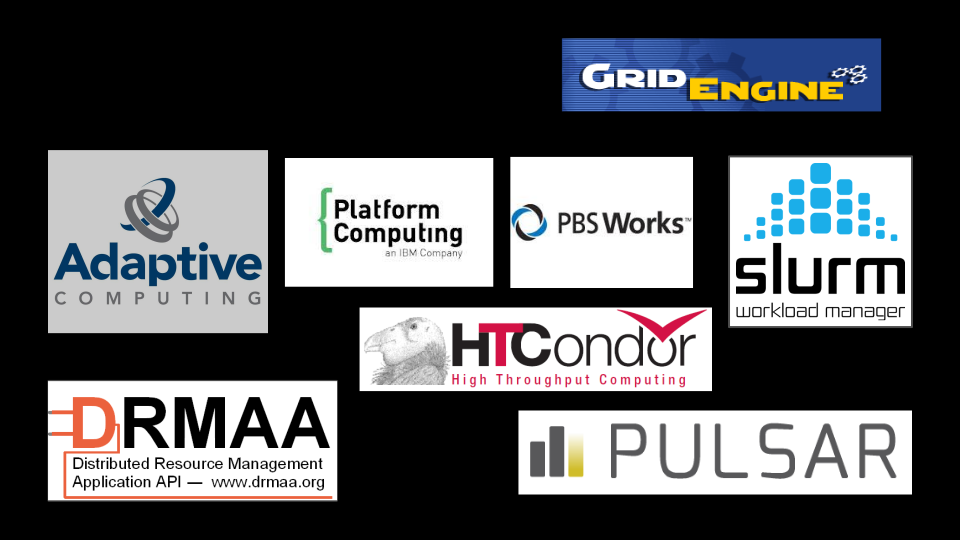
Galaxy can submit jobs to various cluster managers (Slurm, PBS, SGE, etc.)
https://docs.galaxyproject.org/en/master/admin/cluster.html
Connecting Galaxy to a compute cluster
class: center
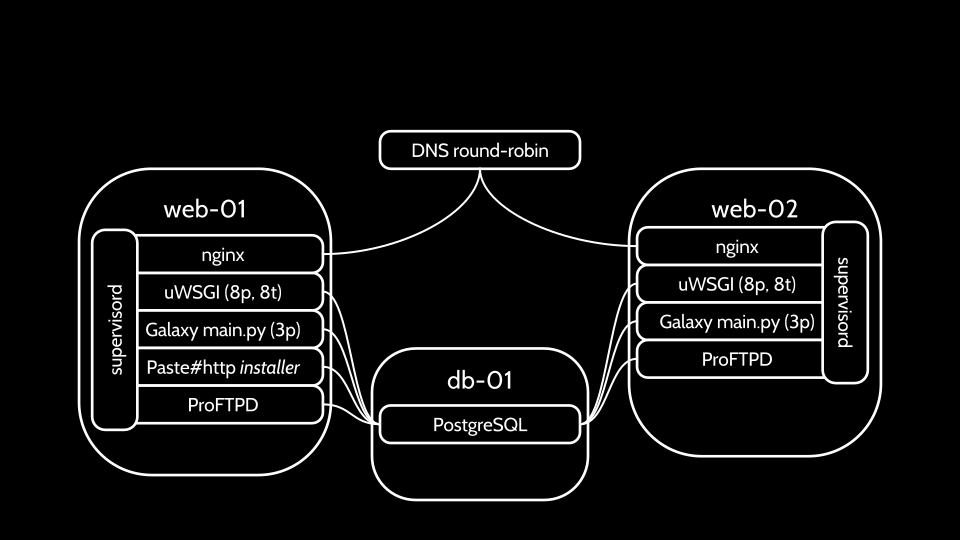
usegalaxy.org Web Architecture
class: center
Complete usegalaxy.org Infrastructure
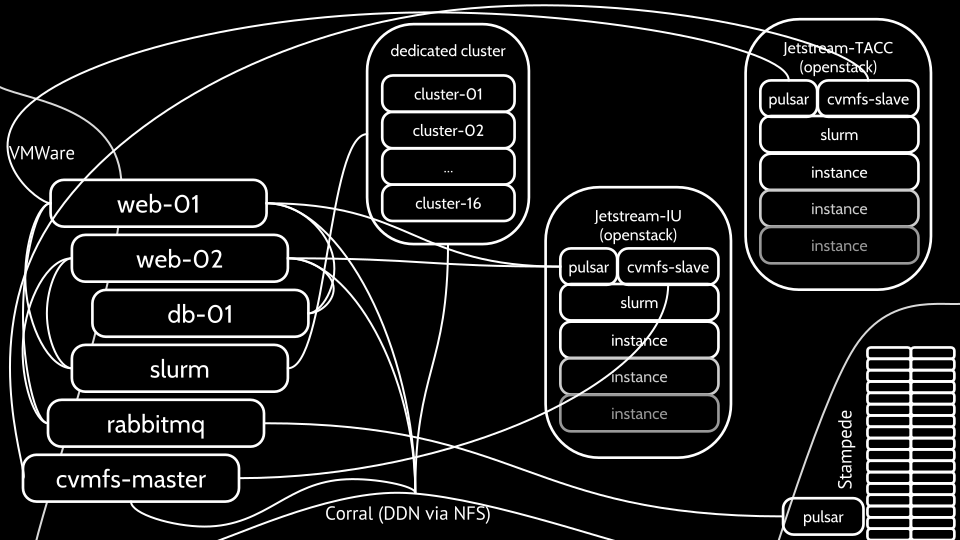
Multiple web servers, job handlers, and compute clusters working together
Key Production Considerations
- Database: Use PostgreSQL for production
- Web Server: Use nginx or Apache as reverse proxy
- Processes: Run multiple Galaxy processes
- Job Handling: Separate job handlers from web workers
- Storage: Use scalable object storage solutions
- Monitoring: Implement logging and monitoring
- Backups: Regular database and file backups
Production Deployment Resources
- Admin Training: https://training.galaxyproject.org/topics/admin/
- Galaxy Admin Docs: https://docs.galaxyproject.org/en/master/admin/
- Ansible Playbooks: https://github.com/galaxyproject/usegalaxy-playbook
- Community Support: https://help.galaxyproject.org/
| .footnote[Previous: Galaxy Startup Process | Next: Galaxy Testing] |
Key Points
- Production uses PostgreSQL instead of SQLite
- nginx/Apache serve static content, uWSGI runs Galaxy
- Multiple processes and hosts for scalability
- usegalaxy.org runs across multiple servers and clusters
Thank you!
This material is the result of a collaborative work. Thanks to the Galaxy Training Network and all the contributors! Tutorial Content is licensed under
Creative Commons Attribution 4.0 International License.
Tutorial Content is licensed under
Creative Commons Attribution 4.0 International License.